Design used to feel exclusive. Creating polished visuals often requires expensive software, long tutorials, and years of practice. For everyday users, small business owners, and creators without design training, this made even simple edits feel intimidating. Over time, that barrier kept many people from expressing ideas visually or presenting their work professionally.
Today, that reality has changed. AI-powered editing tools have made design more accessible than ever. Tasks that once took hours can now be completed in seconds, often with just a single click. Among all these new capabilities, background removal has become one of the most in-demand features. Clean, distraction-free images are essential for modern digital content, and AI has made achieving them surprisingly easy.
Why Background Removal Matters for Everyday Users
Removing a background is no longer just for professional designers. Every day users rely on it for a wide range of tasks. Social media posts look cleaner when the subject stands out without clutter. Profile pictures feel more polished when distractions are removed. For online sellers, product photos with plain backgrounds build trust and improve conversion rates.
Students and professionals also benefit. Resume visuals, presentations, and portfolios often require simple, focused images. Small business owners use background-free images for branding, flyers, menus, and websites without hiring a designer. Being able to easily remove background elements allows people to quickly adapt visuals for different platforms, saving both time and money.
Beyond appearance, background removal improves flexibility. A single image can be reused across multiple platforms simply by placing it on different backgrounds or layouts. This makes it easier for users to adapt visuals for websites, social posts, presentations, or ads without recreating content from scratch. For individuals and small teams, this flexibility saves time and ensures visual consistency across all channels.
What Makes Picsart’s Background Remover So Beginner-Friendly
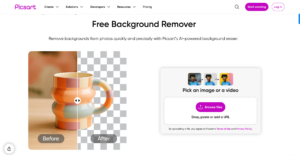
Picsart stands out because it removes complexity from the process. Its AI-powered background remover is designed for people with zero design experience. There’s no need to trace edges manually or understand layers. The tool detects the main subject automatically and removes the background in one click.
The interface is clean and intuitive, making it easy to navigate even on a first try. Picsart also works seamlessly on mobile devices, allowing users to edit images directly from their phones. Speed is another advantage. The AI processes images in seconds, delivering reliable results without delays or technical hurdles.
Another reason the tool feels approachable is that it removes decision fatigue. Beginners aren’t forced to choose from dozens of technical settings or worry about making the wrong adjustment. The AI handles the complex work in the background, allowing users to focus on the outcome rather than the process. This simplicity builds confidence quickly and encourages users to explore more creative possibilities without feeling overwhelmed.
Step-by-Step: How Anyone Can Remove Backgrounds in Seconds
Many beginners wonder how to remove the background from image files without ruining the quality. With Picsart, the process is straightforward and beginner-safe. First, upload your image to the editor. Once the image loads, select the background removal option. The AI instantly analyzes the photo and separates the subject from the background.
After the initial removal, users can make small refinements if needed, such as smoothing edges or restoring details. When satisfied, simply save the image in the desired format. This quick workflow removes the fear factor from editing and makes background removal accessible to anyone, regardless of technical skill.
Creative Things You Can Do After Removing the Background
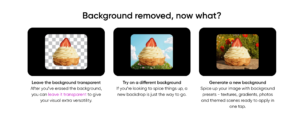
Once you use an image background remover, creative possibilities open up quickly. You can turn photos into custom stickers for messaging apps or social media. Clean cutouts are perfect for posters, flyers, and digital invitations. Profile pictures become more expressive when placed against custom colors or themed backgrounds.
Content creators use background-free images for thumbnails, banners, and ads that demand attention. Small businesses can design promotional graphics or product showcases without outsourcing. You can also combine multiple cutouts into a single design, telling visual stories that feel cohesive and professional.
Why One-Click Editing Changes the Design Mindset
The ability to remove background from image files instantly changes how people approach design. Instead of worrying about skill gaps, users focus on creativity. Ideas can be tested quickly, visuals can be updated on the fly, and experimentation feels safe.
This shift matters because it encourages more people to create. When tools remove technical barriers, confidence grows. People who never considered themselves designers begin producing visuals that look clean, modern, and intentional. That confidence often leads to better communication, stronger branding, and more engaging content overall.
What makes tools like Picsart powerful is their ability to scale with the user. Beginners can use basic features like remove bg to get fast results, while more advanced users can layer edits, add text, or apply effects. The tool grows with the user instead of limiting them.
This flexibility is especially valuable for creators and small teams who need professional results without professional overhead. Instead of juggling multiple tools or workflows, users can complete most visual tasks in one place, maintaining consistency across platforms.
As users become more comfortable with basic edits, they often begin exploring additional creative options. Simple background changes can lead to experimenting with colors, layouts, and text placement. This gradual progression helps users develop a stronger visual sense without feeling overwhelmed, turning casual editing into a confident creative workflow.
The ability to achieve professional-looking results also impacts how work is perceived by others. Clean visuals communicate credibility and attention to detail, whether they appear on a website, social platform, or presentation. With accessible tools supporting each step, users can present ideas more clearly and make a lasting impression, no formal design training required.
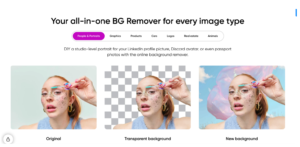
Design no longer belongs only to experts. AI-powered tools have reshaped the creative landscape, making professional-looking visuals achievable for anyone. Background removal, once a technical challenge, is now a simple step that unlocks countless creative possibilities.
Picsart proves that you don’t need formal training to create polished designs. With intuitive tools and fast results, anyone can bring ideas to life confidently. Whether you’re editing for fun, business, or personal projects, design has never been more approachable or more empowering.